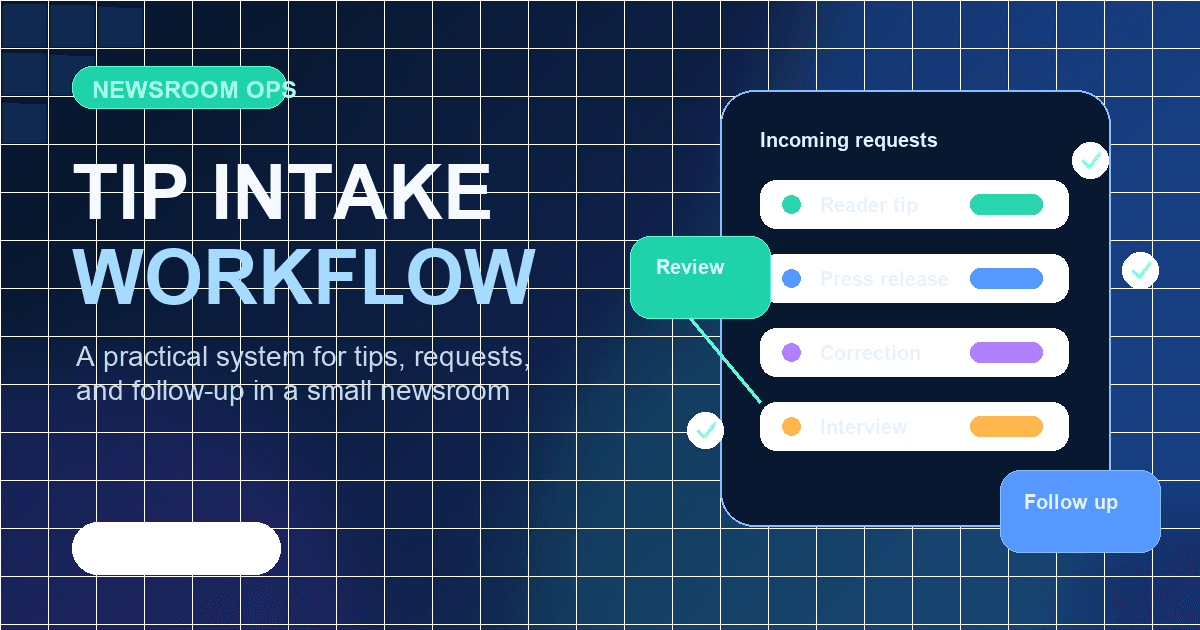
How online newspapers can manage tips and reporting requests
A practical guide for online newspapers on receiving reader tips, reporting requests, press releases, correction requests, and internal follow up without losing trust.
When an online newspaper begins operating, reader tips, press releases, interview requests, correction requests, and advertising inquiries often arrive in the same inbox. At first, the volume may feel manageable. Over time, the newsroom can lose track of who reviewed a message, whether anyone replied, and whether the information deserves reporting.
A tip channel is more than a contact address. It is a promise that readers can send information safely, and it is an operating system that helps the newsroom avoid missing reporting opportunities. This guide explains how a small online newspaper can manage tips and reporting requests from the early stage of operation.
Start by separating the types of incoming messages
Before creating a tip channel, decide what kinds of messages the newsroom expects to receive. If every message is handled the same way, important tips can disappear between promotional emails.
A simple first set of categories is enough.
- Reader tips about events or local issues
- Press releases from organizations and companies
- Interview and reporting requests
- Correction and response requests
- Advertising and partnership inquiries
- General reader questions
The categories do not need to be complicated. The important point is that everyone in the newsroom uses the same standard. A press release should not automatically become an article. A correction request should be checked faster than a general tip. Advertising inquiries should be separated from editorial judgment.
Keep contact points simple and explain them clearly
In the early stage, it is usually better to operate one or two official contact points reliably than to create many separate email addresses. Separate addresses for tips, press releases, advertising, and reader questions may look professional, but they can slow down review if the team is small.
Instead, explain clearly on the contact page or publication profile what readers should send and where. A short guide can reduce unnecessary back and forth. Explain what basic information is helpful, how to send photos or documents, and how to request a correction.
A good guide should not overwhelm readers. Ask only for the name or preferred contact method, the content of the tip, related materials, and the level of disclosure allowed. For sensitive tips, explain whether anonymous requests are possible and whether the newsroom may contact the sender for confirmation.
Review each message by news value and urgency
When a tip arrives, first review it by news value and urgency. Not every tip becomes an article immediately. Some tips are not ready for publication but may become useful leads for future reporting.
The newsroom can use these questions.
- Does this issue affect readers in a real way
- Are there documents, sources, or locations that can be checked
- Is it more than a one sided claim from one person or group
- Does it include personal information that could cause harm if published
- Does it require immediate confirmation
- Could it develop into follow up reporting
These questions prevent the newsroom from relying only on instinct. In a small team, one person often handles many roles, so a simple review standard helps prevent missed messages.
Clear reply rules build trust
The newsroom does not need to send a long reply to every tip. But even a brief receipt confirmation helps readers feel that their message was read. Trust is often built through predictable responses rather than elaborate wording.
If possible, set a rule to send a short confirmation within one business day. Do not promise that the tip will become an article. It is enough to say that the newsroom will review it and may follow up if more information is needed.
Correction and response requests should move faster. Record the received time, owner, review status, and expected first response. If the publication already has a correction policy, the tip channel should connect to that process.
Collect only the personal information you need
Tips may include names, phone numbers, email addresses, workplaces, photos, and information about other people. When designing the channel, think first about what not to collect.
Avoid requesting identification numbers, bank information, identity documents, or other unnecessary sensitive materials. When receiving photos from the field, check for faces, license plates, addresses, children, or other details that could create privacy issues if published.
Tell readers that their information will be used for reporting verification. Before publishing a real name, photo, or identifying detail, confirm separately when needed. Small publications can easily treat privacy too casually, but careful habits from the beginning make future operation safer.
Do not publish press releases unchanged
Press releases can be useful for an online newspaper. But copying them directly into articles can weaken trust. A press release is a starting point for reporting, not a finished article.
When reviewing a press release, look at reader relevance, confirmable facts, and the amount of promotional language. A simple event announcement may still be useful if readers need the information. Even then, the headline and article should be rewritten in the publication's own editorial style, and the source should be clear when appropriate.
If certain organizations send materials repeatedly, keep a short internal note. What topics do they send, has there been any accuracy issue before, and who is the contact person. These notes make future review faster.
Track internal status so messages do not disappear
The most dangerous state is when someone has seen a message but nobody owns it. Every incoming request needs a visible status.
The newsroom does not need a complex system at first. A spreadsheet, task manager, or CMS internal notes can work. But it is helpful to record at least these fields.
- Received date and channel
- Type of tip or request
- Owner
- Current status
- Next action
- Reply status
- Publication decision and article link if relevant
In a CMS such as BylineCloud, draft status, scheduled publishing, and internal notes can help the team see the flow from tip to article in one place. The tool matters less than the habit of recording status.
Keep boundaries when a tipster becomes a source
A tipster may provide important information, but that does not mean they should automatically appear in the story. They may request anonymity, or the newsroom may decide after verification that mentioning them is unnecessary.
During reporting, confirm what the tipster allows. Ask whether their name, role, documents, or photos may be used. Be especially careful with whistleblowing, conflict situations, and cases involving minors.
It is also important not to conclude a story based only on the tipster's words. Check the other side, review documents, and confirm the scene when possible. Respect reader tips, but keep editorial responsibility with the publication.
Review the channel regularly
A tip channel is not finished after it is created. Even a monthly review can show useful signals for the newsroom.
Look at what types of messages are increasing, whether any replies were delayed, and whether repeated issues failed to become articles. This review may lead to new story ideas and show what readers expect from the publication.
The review does not need to be long. Summarize the number of messages received, how many became articles, important topics that were held, and one response rule to improve next month. A newsroom that reviews its tip channel regularly can build a steadier relationship with readers.
A well run tip channel expands the newsroom's field of view
An online newspaper becomes stronger when it stays close to readers and the field it covers. A tip channel is one of the most basic ways to keep that connection open. Publishing an email address is not enough. The newsroom needs to decide what it receives, how it verifies information, and how it responds.
It is fine to start simply. Separate message types, set reply rules, collect less personal information, and track internal status. These small operating habits gradually build reader trust and improve the newsroom's reporting capacity.
Start your online newspaper with BylineCloud
We guide you through the entire process, from consultation to launch.
Request Consultation